


Updated: 5/29/2026
When something changes at the last minute, a shift cancellation, a weather call, or a sudden need for more hands, you need to reach your volunteers in minutes, not hours. Email often sits unread for a day or more, and calling everyone individually is not realistic when you are already short on time.
Text messaging closes that gap. This guide covers when texting volunteers makes sense, how to do it well, and how to stay compliant in 2026, written for the coordinator who is actually sending the messages. Texting fits alongside the rest of your communication mix, so it pairs naturally with your work on volunteer communication and retention and the broader volunteer management process.
In this guide:
Why texting volunteers works in 2026
Texting is simply where people already are. The vast majority of US adults own a smartphone, according to the Pew Research Center, and text messages are read far faster and more reliably than email, usually within minutes of arriving. For a time-sensitive message, that speed is the whole point.
It also respects your volunteers' reality. Most of them are fitting service around jobs, families, and everything else, and they are not refreshing their email between commitments. A short text reaches them where they already are, without asking them to log in or check a separate inbox.
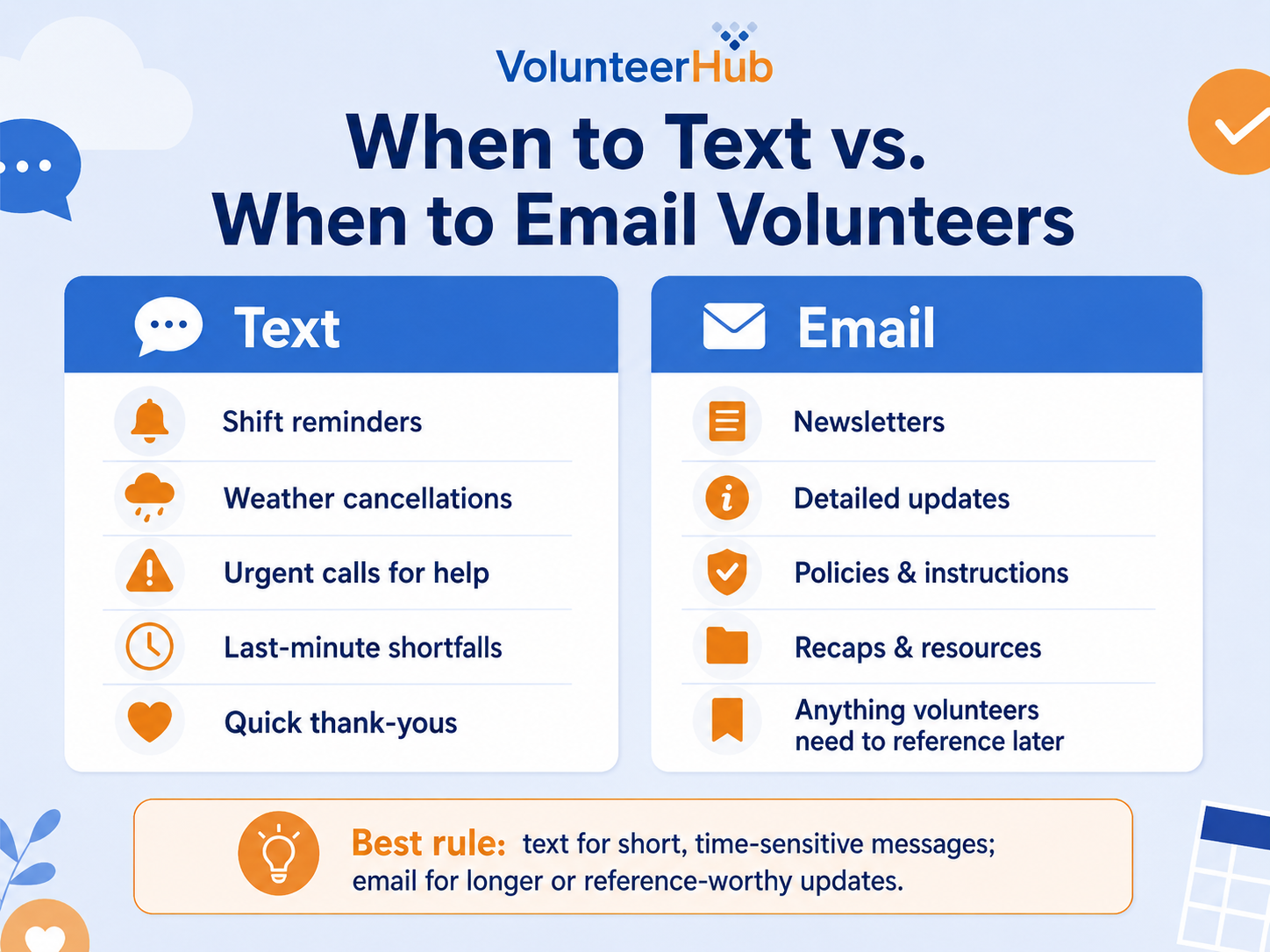
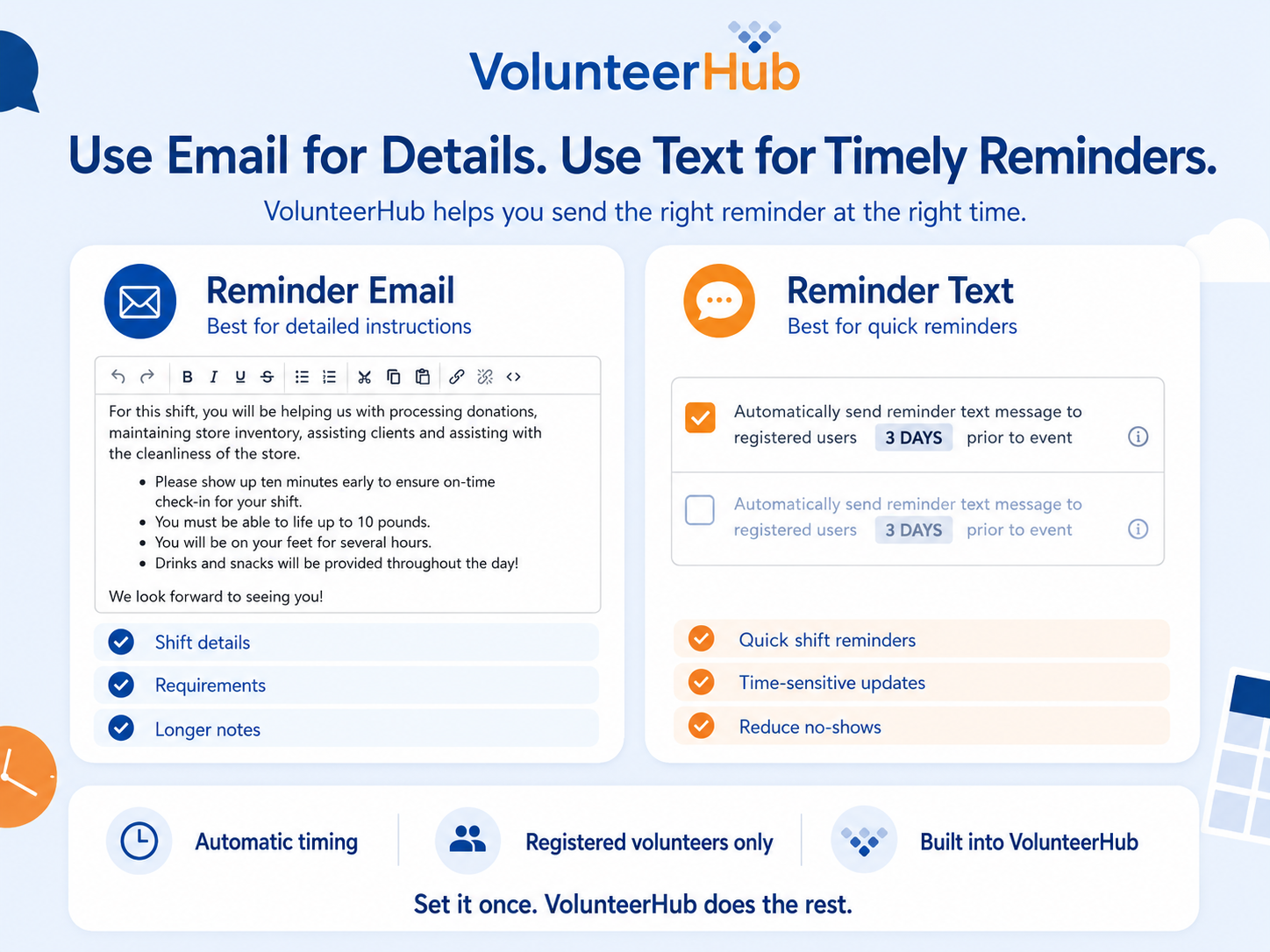
None of this replaces email. Long updates, newsletters, and anything a volunteer needs to reference later still belong in email. Texting earns its place for the messages that cannot wait.
When to text your volunteers
Texting is the right tool for short, time-sensitive messages. A few situations where it consistently earns its keep:
- Weather and last-minute cancellations. You have an outdoor event set up, and the sky turns dark. Rather than fielding calls one by one, a single text can let everyone know whether the event is on or off before they head out.
- Urgent mobilization. When a disaster or sudden need hits, volunteers have to be reached and organized quickly. A broadcast text gets the call for help out immediately.
- Filling a shortfall. Registrations fall through, and you are suddenly short of help for tomorrow's shift. A quick text to your wider list, or to a specific group, can recruit the extra hands you need.
- Shift reminders. A reminder the day before a shift is one of the simplest ways to cut down on no-shows.
- Quick thank-yous. A brief, timely thank-you after an event tells volunteers their time mattered, and it lands while the experience is still fresh.
Notice the pattern: these are all short messages where timing matters. That is the line to hold. When you reserve texting for genuinely time-sensitive moments, your volunteers keep paying attention to it.
A practical approach to texting volunteers
Sending good volunteer texts is less about clever wording and more about consent, restraint, and timing. Here is what that looks like in practice.
Get explicit opt-in first. Before you text anyone, you need their permission. Ask volunteers to opt in to text messages when they register, make it clear that messaging rates may apply, and keep a record of who agreed. Consent is both a courtesy and a compliance requirement, and it keeps your messages welcome rather than intrusive.
Use texting sparingly. The fastest way to lose a channel is to overuse it. If volunteers start getting texts about things that could have waited for email, they tune out, and then your urgent message gets ignored too. Reserve texting for messages that genuinely cannot wait.
Keep messages short and identify yourself. A volunteer should know who is texting within the first few words. Lead with your organization's name, state the point plainly, and include only what the volunteer needs to act.
Mind the timing. A useful reminder at 8:00 in the morning is a nuisance at 11:00 at night. Send during reasonable hours, and lean on tools that enforce quiet hours automatically so a late-scheduled message does not go out at a bad time.
Be careful with links. Mobile carriers block many free, public URL shorteners because spammers abuse them, which means a shortened link can quietly sink your whole message. Link to a full, recognizable web address instead.
Set expectations about replies. Many volunteer texting tools are one-way, meaning volunteers cannot reply to the message or reach out to you. If that is the case, tell them how to respond, for example, by including a phone number or email they can use.
Send the right text to the right people. A weather cancellation only needs to reach the volunteers registered for that event. Segmenting your audience, by event, role, or group, keeps your texts relevant and keeps volunteers from tuning out messages that do not apply to them.
Sample text-message templates you can adapt
Use these as starting points and swap in your organization's name, event details, and contact information. Keep each one short, lead with who you are, and make the ask clear.
- Shift reminder: Hi [Name], it's [Org]. Reminder that your shift is tomorrow at [time], [location]. Reply or call [phone] if anything changes. Thanks for helping out!
- Weather cancellation: [Org] here. Today's [event] is canceled due to the weather. No need to come out. We'll be in touch about the reschedule. Stay safe!
- Urgent call for help: [Org] needs a few extra hands at [event] today, [time], [location]. If you can make it, reply YES or call [phone]. Every bit helps.
- Filling a shortfall: Hi [Name], it's [Org]. We're short on volunteers for [shift] on [date]. Can you join us? Reply YES or sign up here: [link].
- Quick thank-you: Thank you for volunteering at [event] today, [Name]! Your time made a real difference. We hope to see you again soon. - [Org]
Volunteer texting do's and don'ts
A quick reference for keeping your texts welcome rather than annoying:
- Do get clear opt-in consent before you text anyone.
- Do lead with your organization's name so people know who is texting.
- Do keep messages short and send them during reasonable hours.
- Do segment your list so people only get texts that apply to them.
- Don't overuse texting for updates that could have waited for email.
- Don't use free public link shorteners, which carriers often block.
- Don't assume volunteers can reply if your tool only sends one-way texts.
A quick note on compliance: Before you send your first text, make sure volunteers have actively opted in to receive messages and that you keep a record of that consent. Tell them that standard message and data rates may apply, honor opt-out requests promptly, and avoid texting during overnight quiet hours. These habits keep you on the right side of texting regulations and keep your messages trusted.
How VolunteerHub supports texting volunteers
VolunteerHub has helped organizations recruit, engage, and manage volunteers since 1996, and text messaging is built into the platform so you can reach volunteers without leaving your volunteer management system or exporting numbers to a separate tool. Here is how it maps to the approach above.
- Built-in opt-in. VolunteerHub captures text consent through a Text Opt-In question on your volunteer registration form, so you only text volunteers who have agreed to receive messages, with the messaging-rates notice built in.
- Automated event reminders. You can set an event to automatically send a reminder text to registered volunteers ahead of time, with the lead time set to whatever fits your program. VolunteerHub holds these reminders during overnight quiet hours so messages do not arrive in the middle of the night.
- Targeted, on-demand texts. Send a text to everyone registered for a specific event, including your waitlist, to a filtered list of users, to a User Group, or to a single volunteer. That targeting is what keeps a weather cancellation from reaching people who were never coming.
- Consistent sender identity. Texts carry your organization's name, so volunteers recognize who is reaching out.
- Reporting alongside the rest of your program. Because texting lives in the same system as your scheduling and hour tracking, your volunteer records and reporting stay in one place rather than scattered across separate tools.
VolunteerHub is built for mid-size to large volunteer programs. To see how text messaging would fit your events and volunteer list, connect with us for a live walkthrough.
Frequently asked questions about texting volunteers
Can you text volunteers through volunteer management software? Yes. Many volunteer management platforms, including VolunteerHub, let you send texts to volunteers directly from the system, both automated reminders and on-demand messages, without exporting phone numbers into a separate texting app. This keeps your contact list and volunteer records in one place.
Do you need permission to text volunteers? Yes. You should collect clear opt-in consent before texting any volunteer, and let them know that standard messaging rates may apply. Beyond being a legal expectation for text messaging, consent keeps your messages welcome. In VolunteerHub, that opt-in is captured on the volunteer registration form.
How do you send a text to all your volunteers at once? With volunteer management software, you can message your whole list or a filtered segment in a few clicks. In VolunteerHub, you can text everyone registered for an event, a filtered list of users, an entire User Group, or a single volunteer, which lets you reach exactly the right people for each message.
What should you text volunteers about? Use texting for short, time-sensitive messages: shift reminders, last-minute changes or cancellations, urgent calls for extra help, and quick thank-yous. Longer updates, newsletters, and anything a volunteer needs to keep for reference are better suited to email.
Can volunteers text back? It depends on the tool. Many volunteer texting features, including VolunteerHub's, are one-way, so volunteers cannot reply directly to the message. If you want responses, include a phone number or email address in the text and tell volunteers to use it.
What is the best software for texting volunteers? Look for a volunteer management platform that includes text messaging built in, captures opt-in consent, and lets you target messages by event, group, or filter rather than blasting your entire list every time. For a wider comparison, see our guides to the best volunteer management software in 2026 and 10 volunteer management solutions for nonprofits in 2026.
Texting is one of the most direct ways you have to reach volunteers, and it works best when you treat it with a little discipline. Start with one step this week: add a text opt-in to your registration form so you are building a list of volunteers who actually want to hear from you. From there, reserve texting for the moments that genuinely cannot wait, and it will stay a channel your volunteers trust. When you are ready to send texts straight from your volunteer system, connect with us, and we can show you how it works for your program.